Create Thunderbird e-mail account
Here we describe how to create a new Thunderbird e-mail account. It is part of the description how to configure a Mozilla or Thunderbird e-mail account for use at the ELD.
1. Configure SMTP Server
On the Account Settings panel select Outgoing Server (SMTP) to bring-up the following panel.
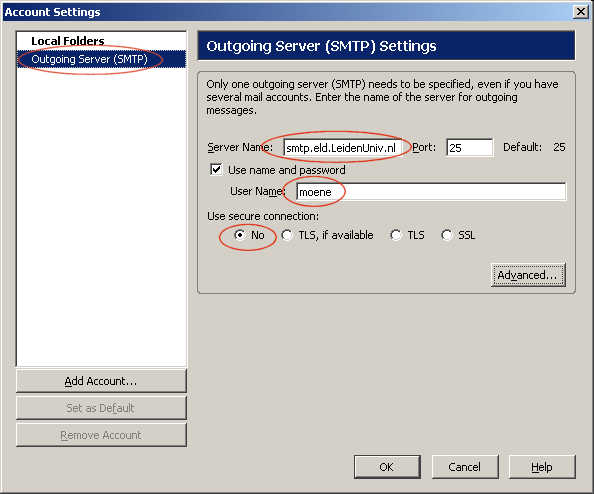
Enter the following information on the panel:
- Set Server Name: to mail.physics.LeidenUniv.nl
- Enter your Unix user name at User Name:
- Select No for Use secure connection:
Continue with the following section.
2. Create e-mail Account
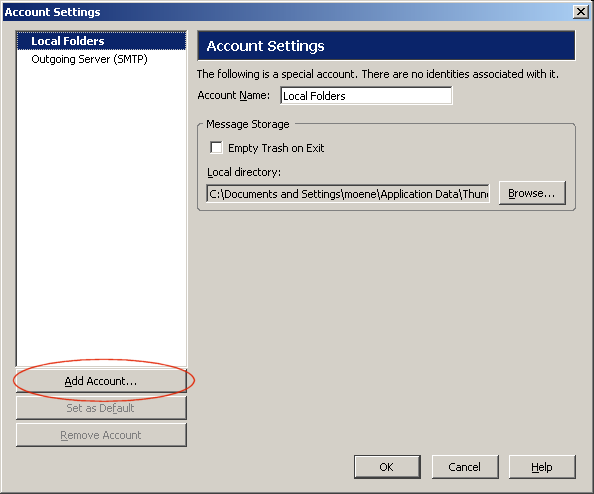
Press Add Account... to start the Account Wizard.
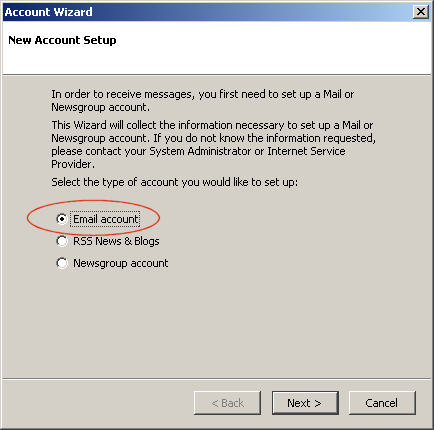
Select Email Account (the default) and press Next.
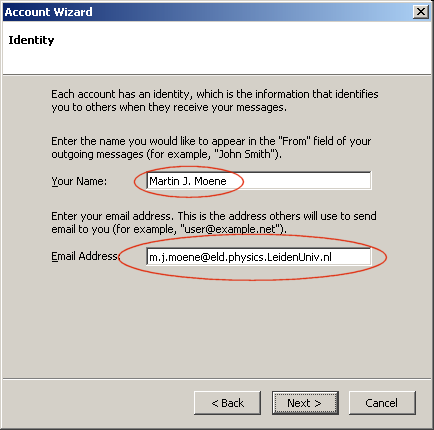
Enter the following information on the panel:
- Enter your name at Your Name:
- Enter your e-mail address at Email Address:
Press Next to continue the wizard.
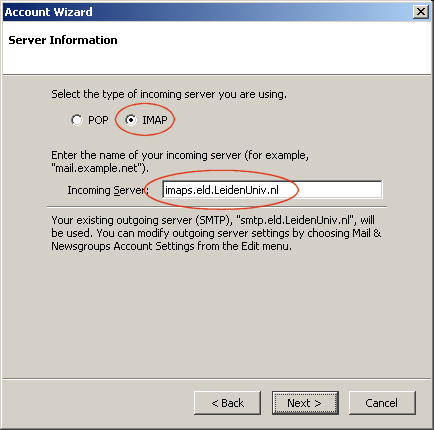
Adapt the panel as follows:
- Select IMAP for the type of incoming server
- Set Incoming Server: to mail.physics.LeidenUniv.nl
Press Next to continue the wizard.
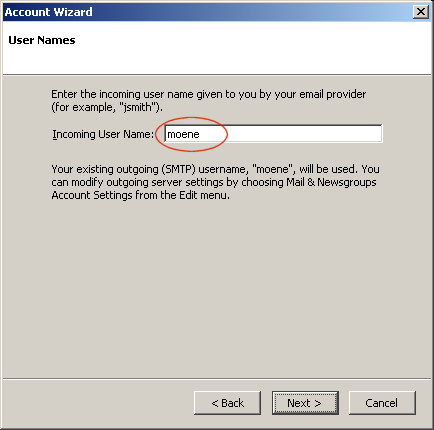
Enter your Unix account name at Incoming User Name:
Press Next to continue the wizard.
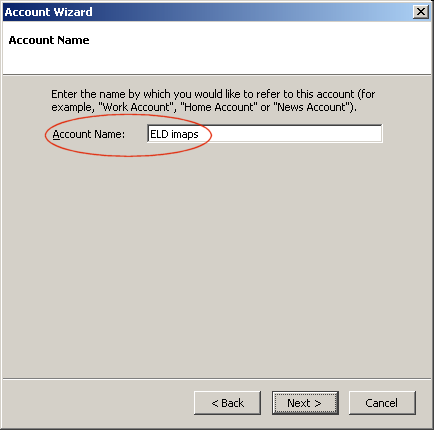
Enter the name you want to use for this Thunderbird e-mail account at Account Name:
Press Next to continue the wizard.
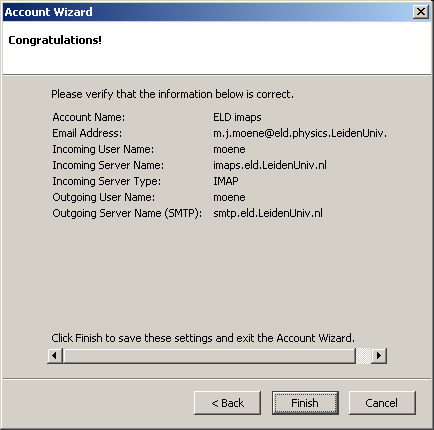
Check the settings on this panel and press Finish to create the account.
Now, continue with the configuration of the account.

